Plans and billing
How GEOforge plans work — what each one includes, how your monthly content allowance is counted, and how to upgrade or manage your subscription.
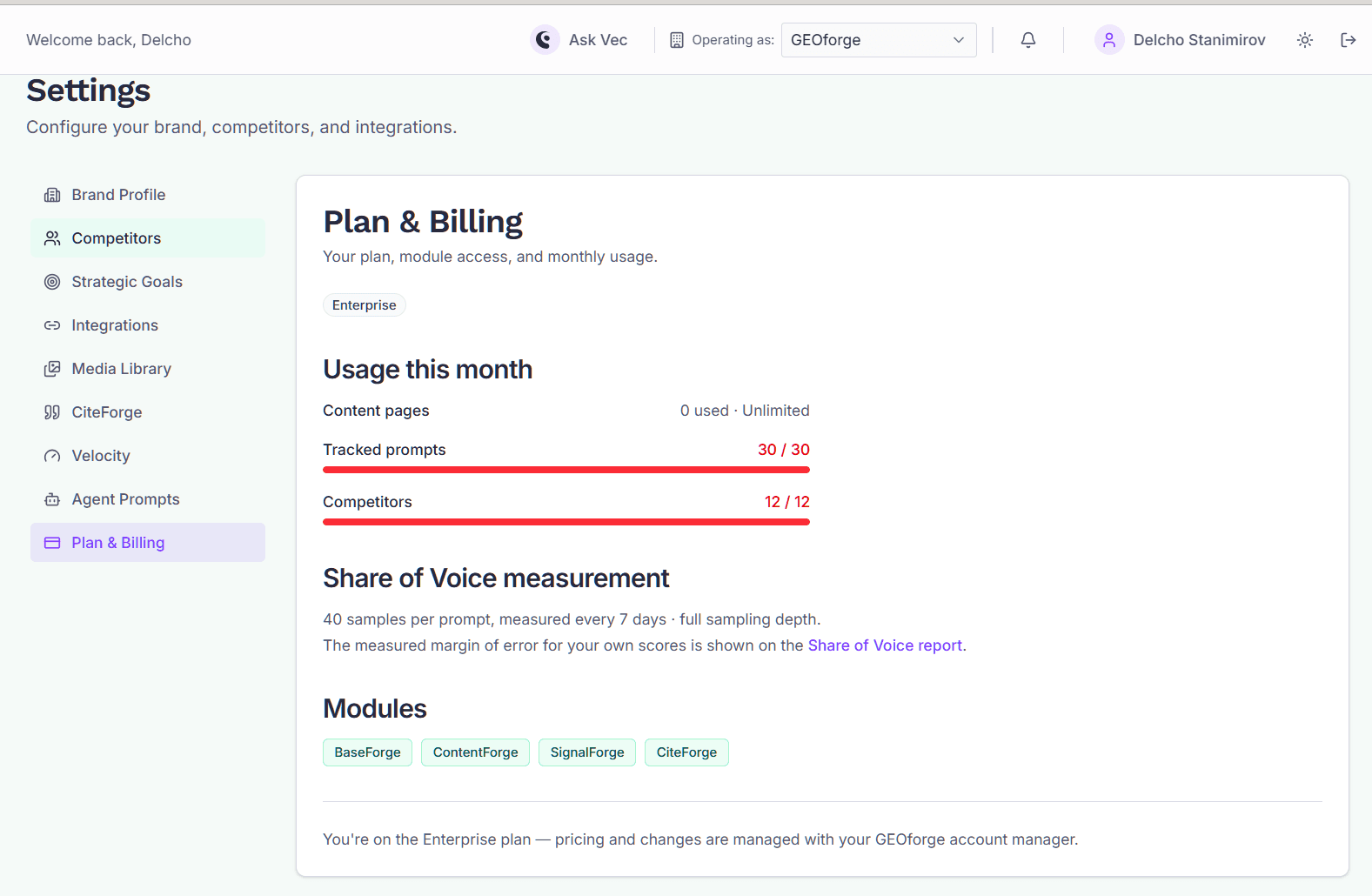
Your plan controls which GEOforge modules you can use, how much content you can generate each month, and how deeply your Share of Voice is measured.
Find it at Settings → Plan & Billing.
Who can see this tab
Plan & Billing is only visible to brand admins. If you're a regular user you won't see the tab at all — that's expected, not a fault. Whoever created the brand is its first admin, and owns billing for it.
The plans
| Plan | Modules | Content per month | Share of Voice depth |
|---|---|---|---|
| Trial | Everything | 100 pages | 1 run per prompt, measured daily |
| Create | BaseForge, ContentForge, SignalForge | 50 pages | 10 runs per prompt, weekly |
| Dominate | Everything, including CiteForge | 100 pages | 40 runs per prompt, weekly |
| Enterprise | Everything | Unlimited | Set for you, weekly |
All plans track up to 30 prompts and 10 competitors. Current prices are shown on the Plan & Billing tab and at checkout.
Two differences worth knowing before you choose:
- CiteForge is not included in Create. You'll still see it in the navigation, with a note about upgrading, rather than it being hidden — so you can see what you're missing.
- Automatic publishing to your CMS is Dominate and above. On Create you generate and export content, then publish it yourself.
Why the trial measures differently
The trial runs Share of Voice once per prompt, every day rather than many times per prompt once a week. That gives you a fresh reading quickly, but a single run is a small sample — so the trial deliberately shows no margin of error, because there isn't enough data to calculate one honestly. Paid plans run each prompt many times, which is what makes the confidence band meaningful. See Share of Voice for how to read it.
Your content allowance
The content meter counts pages generated in the current calendar month, in UTC — it resets on the 1st, not on your billing date. Drafts that fail or are voided don't count against it.
You'll see a meter on the Plan & Billing tab, and on ContentForge when you're close to the limit. When you reach it, generation stops until the next month or until you upgrade; everything already generated stays exactly as it is.
Upgrading
From Settings → Plan & Billing, choose a plan and select Upgrade. That takes you to Stripe Checkout to enter payment details. When checkout completes you're returned to GEOforge with the new plan already active.
To change a card, download invoices, or cancel, use Manage billing on the same tab. That opens the Stripe customer portal, where your payment details and billing history live. GEOforge never stores your card details.
Trials and expiry
A trial lasts 14 days. The clock starts when you verify your email address — or immediately, if you signed up with Google, since Google has already verified it. We'll notify you when there are 7 days and 2 days left, and again when it ends.
When a trial ends, or if a subscription payment fails permanently, the brand becomes read-only behind a lock screen:
- Your data is safe. Measurements, content, and citations are all preserved.
- The header keeps working — you can still switch brands, sign out, and read notifications.
- Settings, your account, and notifications stay open, so an admin can upgrade without being locked out of the page that does it.
- If you're not an admin, the lock screen tells you to ask your brand admin to upgrade.
A payment that's merely late (past_due) does not lock the brand — Stripe retries it first, and you keep working in the meantime.
Related
- Creating your account — signing up and starting a trial.
- Share of Voice — how measurement depth affects your numbers.