Creating your account
How to sign up for GEOforge, verify your email, start your 14-day free trial — with or without a Google account — and add a second brand to an account you already have.
You can create a GEOforge account yourself and start a free trial straight away — no invitation needed.
If someone has already invited you to an existing brand, you don't need this page: use the link in your invitation email and sign in at /login instead.
Signing up
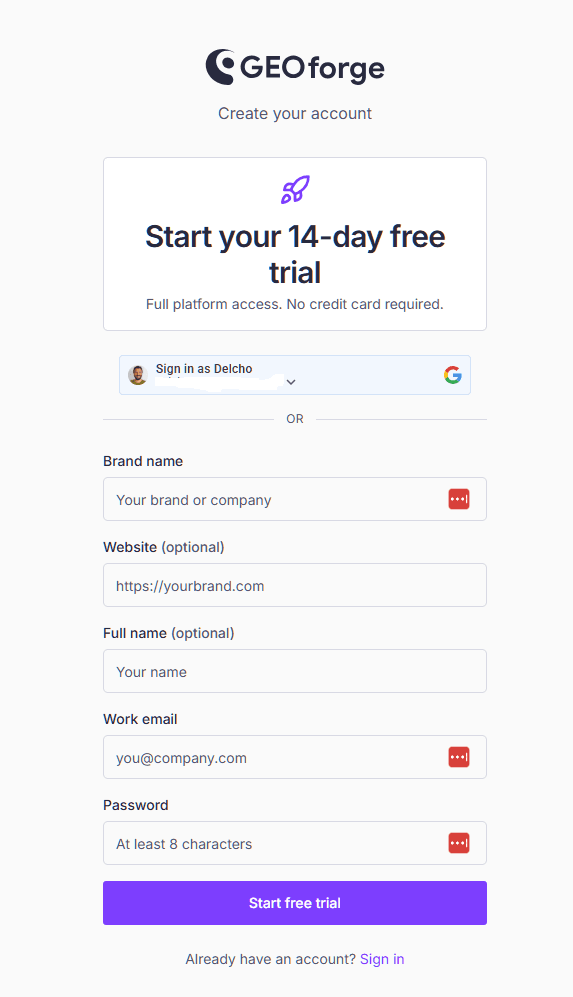
Go to /register and provide:
- Brand name — the company or brand you want to measure. This becomes your first brand in GEOforge.
- Website — your brand's main domain, used to find where AI engines cite you.
- Your name and email address.
- A password of at least 8 characters.
- How you heard about GEOforge — one pick from the list, asked on both signup paths. It shapes where we spend our own effort, nothing more.
Then confirm your email address from the message we send you. The verification link is what activates the account.
Your trial clock starts when you verify
The 14 days don't begin at signup — they begin the moment you verify your email. So if you sign up and get pulled away, you haven't burned any trial time.
Didn't get the email? Check your spam folder first, then request another from /resend-verification.
Signing up with Google
Select Continue with Google on either the register or the login screen. Google has already confirmed your email address, so there's no password to choose and no verification step — your trial starts immediately.
You'll still be asked for your brand name and website, since GEOforge needs to know what to measure.
If you already have a GEOforge account under the same address, Continue with Google simply signs you in — and offers to add the brand you typed to that account (see below).
Tracking a second brand
One email address means one GEOforge account, and signing up again with the same address won't create a second one. That is deliberate: an account can hold several brands, so you don't need a second login (or a second inbox) to measure another company.
To add one, sign in and open the brand menu at the top right of the screen — the one labelled Operating as — then choose Add new brand. Give it a name and, optionally, a website.
The new brand starts completely empty and entirely separate: its own brand profile, competitors, knowledge base, content and Share of Voice. Nothing is shared between brands except your login. Once you have more than one, the same menu switches between them, and everything on screen follows whichever brand you're operating as.
What the new brand costs
Each brand is billed on its own. If you're still on your trial, a brand you add shares that same trial window rather than starting a fresh 14 days — the trial is one per account. If you're on a paid plan, the new brand begins its own 14-day trial, and you choose a plan for it before that runs out.
Either way, we won't add a brand while any brand on your account has lapsed — an expired trial, or a subscription that was cancelled. That includes a brand somebody else invited you into, so the one holding you up isn't always the one you're looking at; we'll name it when we say no. Sort that one out first, and the rest goes through.
Two things to know:
- Only a brand admin can add a brand. If you were invited into someone else's brand as a member, ask them to make you an admin, or sign up separately with your own address.
- You can hold up to five brands on one account. Need more? Get in touch and we'll set them up for you.
What you get during the trial
The trial gives you the whole platform for 14 days, including CiteForge, with a 100-page monthly content allowance.
One thing to expect: Share of Voice is measured once per prompt, every day during the trial, rather than many times per prompt each week. You get a reading quickly, but a single run is a small sample — so the trial shows no margin of error, because there isn't enough data to calculate one honestly. Treat trial numbers as directional, and read Share of Voice for what changes on a paid plan.
We'll let you know when 7 days and 2 days remain, and again when the trial ends. Nothing is charged automatically — you choose a plan when you're ready.
After you verify
You'll land in GEOforge as the admin of your new brand, which means you own its settings and its billing. From there:
- Work through the guided onboarding, which takes you from setup to your first draft.
- Fill in your brand profile so generated content sounds like you.
- Choose a plan whenever you like, from Plans and billing.
Related
- Welcome to GEOforge — what the modules do.
- Plans and billing — what each plan includes.
- Notifications and email preferences — choosing what reaches your inbox.