Overview of GEOforge agents
What the agents inside GEOforge do, where their output shows up, and how you can customize their behavior.
Most of the work GEOforge does on your behalf — reading your knowledge base, drafting articles, scoring citations, measuring how often AI engines mention you — is handled by a set of specialized agents running behind the scenes. You don't trigger them one at a time. You upload a file, approve a topic, or open a citation, and the right agents run.
This section explains what each agent does so you know what's producing the output you see, and where you can adjust their behavior.
How agents fit into your workflow
You interact with agents indirectly. The pattern is usually:
- You take an action in the UI (upload a file, approve a topic, request a draft).
- One or more agents run.
- The result appears in the relevant module — a knowledge chunk, a draft, a citation classification, a SoV score.
You don't need to know which agent did what to use GEOforge. But when you want to change how something reads or scores, knowing the agent responsible is what lets you tune it.
The agents
These six agents are the ones whose output you'll see and whose behavior you can tune. Each has its own page in this section.
BaseForge (your knowledge base)
- Ingestor — reads each uploaded file, breaks it into focused passages, and tags the entities (people, products, topics, competitors) mentioned in each one. It also turns every passage into a kind of mathematical "fingerprint" of its meaning, which lets GEOforge later find the most relevant passages by what they're actually about — not just by keyword matches — whenever the Writer, Strategist, or any other agent needs to pull context from your knowledge base.
ContentForge (content generation)
- Strategist — recommends content topics. When you have enough Share of Voice history, it prioritizes topics where you're losing visibility to competitors; otherwise it works from your knowledge base and strategic goals.
- Writer — generates the actual article. Uses your knowledge base via retrieval, applies your brand voice guidelines, and follows format-specific instructions (Blog, FAQ, Case Study, How-To).
SignalForge (measurement)
- Prompt Recommender — generates a curated set of SoV measurement prompts for your company based on your site, your competitors, and keyword research.
CiteForge (citations and outreach)
- Classifier — looks at each discovered citation URL and decides what kind of opportunity it is: a UGC platform, an editorial site, a competitor domain, a social profile, and so on.
- Pitch Artist — drafts the UGC reply or outreach email for a citation opportunity, using context from your knowledge base.
Behind-the-scenes helpers
A few additional agents run inside other pipelines and don't have dedicated pages in this help section — they're internal helpers rather than levers you'd tune. You'll see their effects without needing to think about them: IG Scoring (the IG score on each BaseForge file), Duplication Guard (the duplicate-overlap flag on new drafts), Prompt Sanitizer (the unbranded measurement prompts SoV uses), Content QA Grader (factual-accuracy scoring on drafts), Schema Architect (JSON-LD on published posts), and Crawl Tracker (the AI-bot crawl detection that feeds the AI Crawlers tab of Site Analytics).
Customizing how an agent behaves
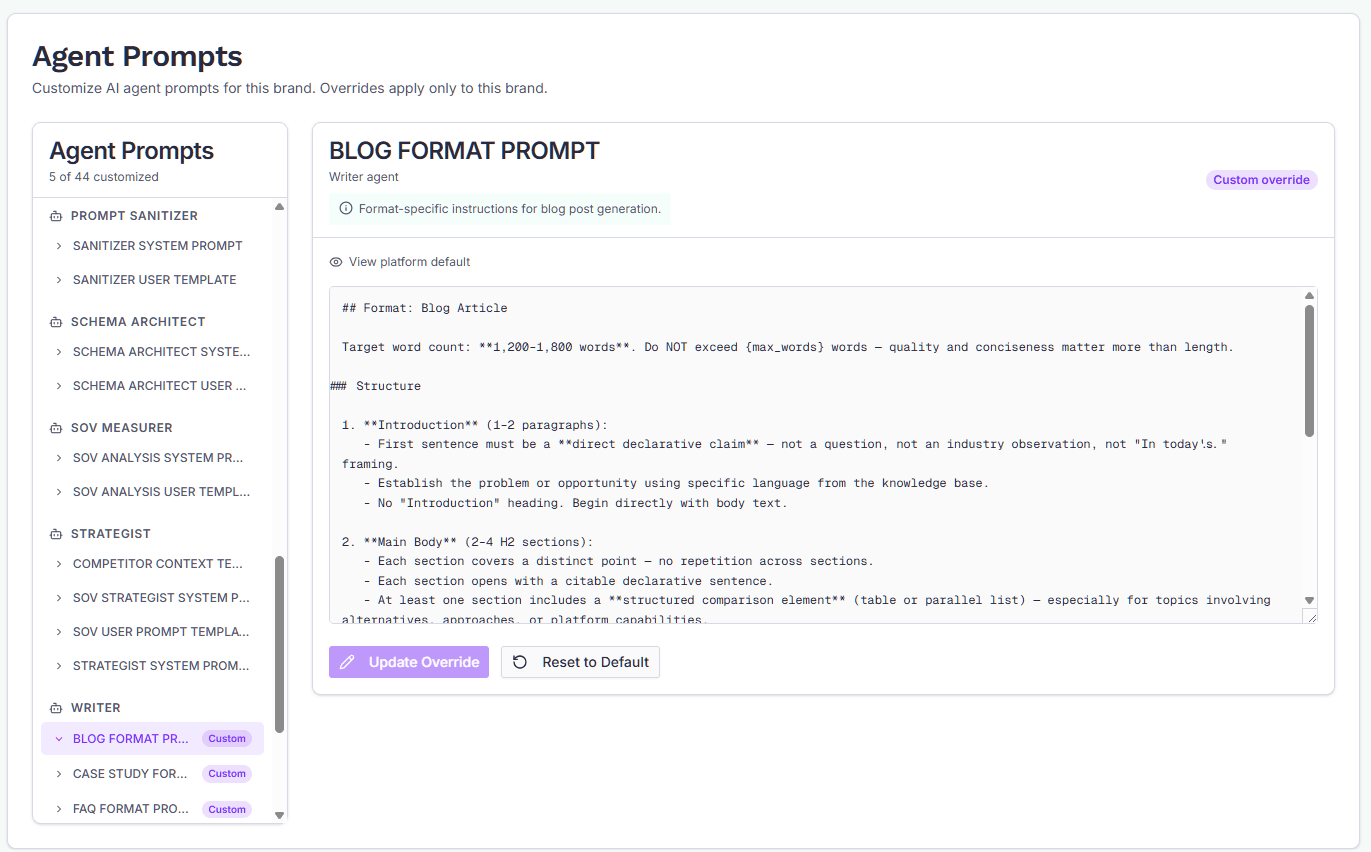
You have one direct lever in the UI: the system prompt for each agent.
Every agent ships with a platform default prompt. Admins can override the instruction prompts for your brand under Settings → Agent Prompts, where they're grouped by module (SignalForge, ContentForge, CiteForge, BaseForge) and can be searched. Each override applies to your brand only, takes effect on the next agent run, and can be reset to the platform default at any time.
Two kinds of prompt aren't editable per brand:
- Templates that hand an agent its input (the brand details, the draft, the page being classified). The platform fills them with run data, and an edit that drops a placeholder silently removes that input.
- Scoring and processing agents: QA Grader, Information Gain Scoring, Duplication Guard, Ingestor, Mapper, Schema Architect and Classifier. Their output is scores and data that need to mean the same thing for every brand.
If your brand customised one of these before that changed, it's still listed, read-only, so you can reset it.
Each customised prompt can be compared with the platform default line by line, and the screen tells you when the default has been improved since you customised it. Every save and reset is kept in the prompt's History, so you can load an earlier version back into the editor, even after a reset.
This is the right tool when:
- The Writer's tone doesn't match your house style.
- The Strategist keeps recommending the wrong kinds of topics.
- The Pitch Artist's outreach emails sound off-brand.
- The Classifier needs different judgment calls for your industry.